
if-else Statement in Python
Here we will learn about the second type of conditional statement,
the if-else statement.
if-else Statement in Python
The if-else statement is used to execute one block of code
when a condition evaluates to True,
and a different block of code when the condition evaluates to False.
If the condition result is True, the statements inside the
if block are executed.
If the condition result is False, the statements inside the else block are executed.
Syntax:
if condition:
    statements
else:
    statements
In the above syntax,
condition is a Boolean expression.
If the condition evaluates to True, the if block is executed.
If the condition evaluates to False, the else block is executed.
Algorithm to Check Pass or Fail
Step 1: Start
Step 2: Read marks
Step 3: If marks >= 35
            Print "Pass"
Step 4: Else
            Print "Fail"
Step 5: Stop
Flowchart
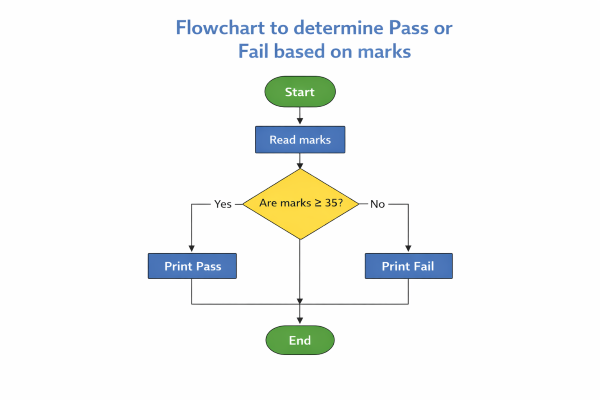
The following program demonstrates the if-else statement in Python
# Program to check pass or fail
marks = 60

if marks >= 35:
    print("Pass")
else:
    print("Fail")
Output:
Pass
Pass
-
marks = 60:
The student marks are assigned as 60. -
if marks >= 35:
The condition is checked. Since 60 ≥ 35, the condition evaluates to True. -
print("Pass"):
Because the condition is True, "Pass" is printed. -
else:
This block executes only if the condition is False, which is not the case here.
What We Have Learned So Far
- Learned about the if-else statement
- Wrote and understood a program using the if-else statement