
Break, Continue, and Else Statements in Loops in Python
Sometimes, while a program is executing inside a loop, we need to exit the loop immediately.
For example, when searching for a required value from a set of values,
there is no need to continue searching once the required value is found.
In such cases, we must come out of the loop.
In this topic, we will learn about break, continue,
and else statements used with loops.
Break Statement in Python
The break statement is used inside a loop to immediately exit from the loop block.
When a
break statement is encountered inside a loop, the loop is terminated at once.
Usually, the break statement is used with an if condition
when a specific condition is satisfied.
The following program demonstrates the use of the break statement in Python
# Example of break statement in Python
for i in range(1, 11):
    if i == 5:
        break
    print(i, end=' ')
Output:
1 2 3 4
1 2 3 4
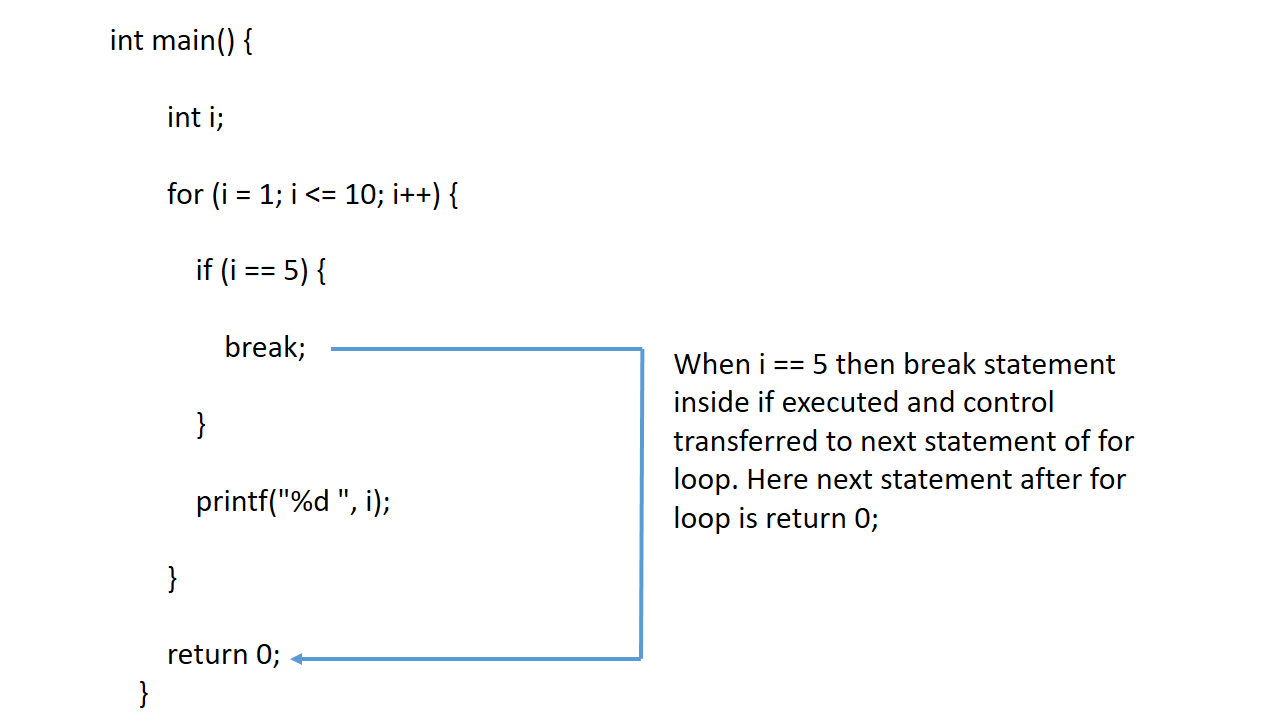
In this program, a for loop is used to print numbers from 1 to 10.
Inside the loop, the condition
i == 5 is checked using an if statement.
When i becomes equal to 5, the break statement is executed and the loop terminates.
Therefore, the program prints numbers only from 1 to 4 and stops at 5.
Points About Break Statement in Python
- The break statement is used to exit immediately from a loop.
- It exits only the nearest enclosing loop, not the entire program.
Continue Statement in Python
The continue statement is used inside a loop to skip the current iteration
and move to the next iteration.
When the continue statement is executed, the remaining statements in the loop
for the current iteration are skipped, and the loop condition is checked again.
This is useful when certain iterations need to be skipped.
The following program demonstrates the use of the continue statement in Python
# Example of continue statement in Python
for i in range(1, 11):
    if i % 2 == 0:
        continue
    print(i, end=' ')
Output:
1 3 5 7 9
1 3 5 7 9
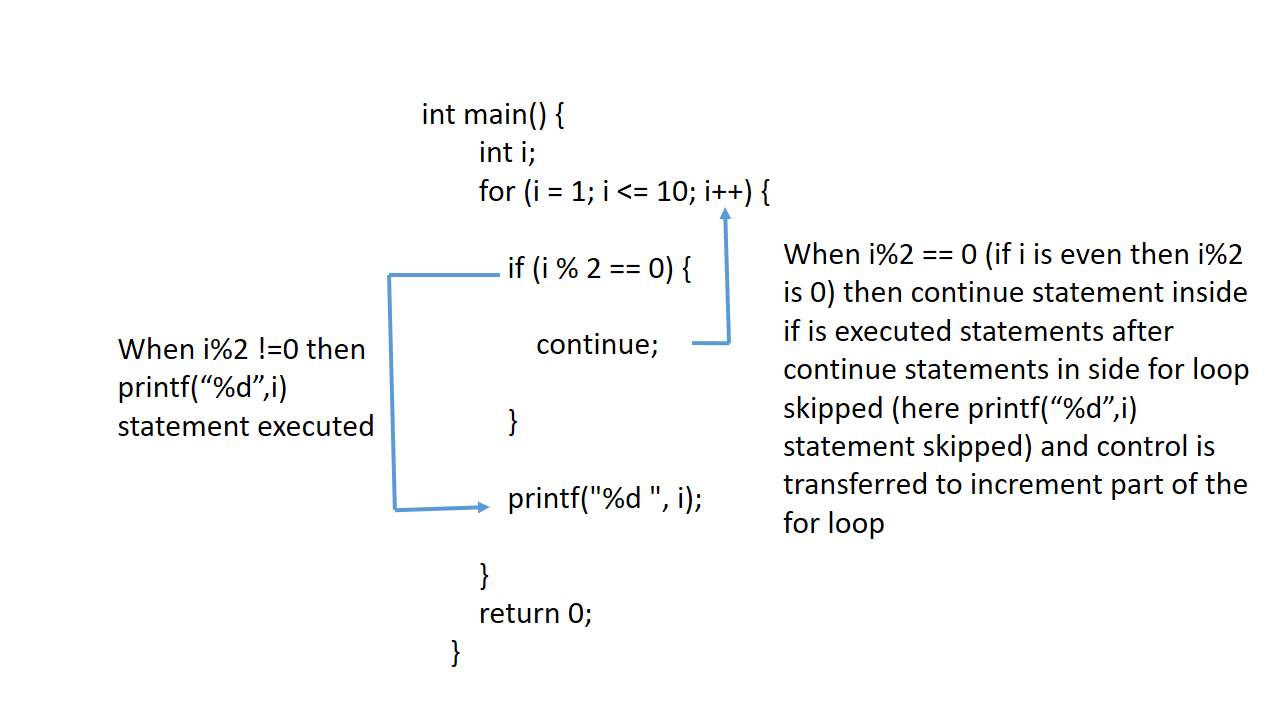
In this program, a for loop is used to print numbers from 1 to 10.
Inside the loop, the condition
i % 2 == 0 is checked.
When the condition is true (even numbers), the continue statement is executed,
which skips printing that number and moves to the next iteration.
As a result, only odd numbers (1, 3, 5, 7, and 9) are printed.
Else Statement in Loop in Python
In Python, the else statement can be used with loops
(both
for and while).
The code inside the else block is executed after the loop completes normally.
If the loop is terminated using a break statement,
the else block will not be executed.
Example of Else Statement in Loop in Python
# Example of else statement in loop in Python
for i in range(1, 11):
    print(i)
else:
    print("Loop completed normally")
Output:
1
2
3
4
5
6
7
8
9
10
Loop completed normally
1
2
3
4
5
6
7
8
9
10
Loop completed normally
In this program, the for loop prints numbers from 1 to 10.
After the loop finishes normally, the else block is executed,
which prints "Loop completed normally".
Example of Else Statement with Break in Loop in Python
# Example of else statement with break in loop in Python
for i in range(1, 11):
    if i == 5:
        break
    print(i)
else:
    print("Loop completed normally")
Output:
1
2
3
4
1
2
3
4
In this program, the for loop prints numbers from 1 to 10.
When
i == 5, the break statement is executed and the loop terminates.
Therefore, only numbers from 1 to 4 are printed.
Since the loop was exited using break, the else block is not executed.
What We Have Learned So Far
- Learned about the break statement
- Wrote programs using the break statement
- Learned about the continue statement
- Wrote programs using the continue statement
- Nested statements will be covered in the next topic